Turabian Bibliography Format: Page Setup, Hanging Indents & Examples
Format a Turabian bibliography: new page, centered heading, alphabetical order, single-spaced entries with a hanging indent. Word and Google Docs steps.
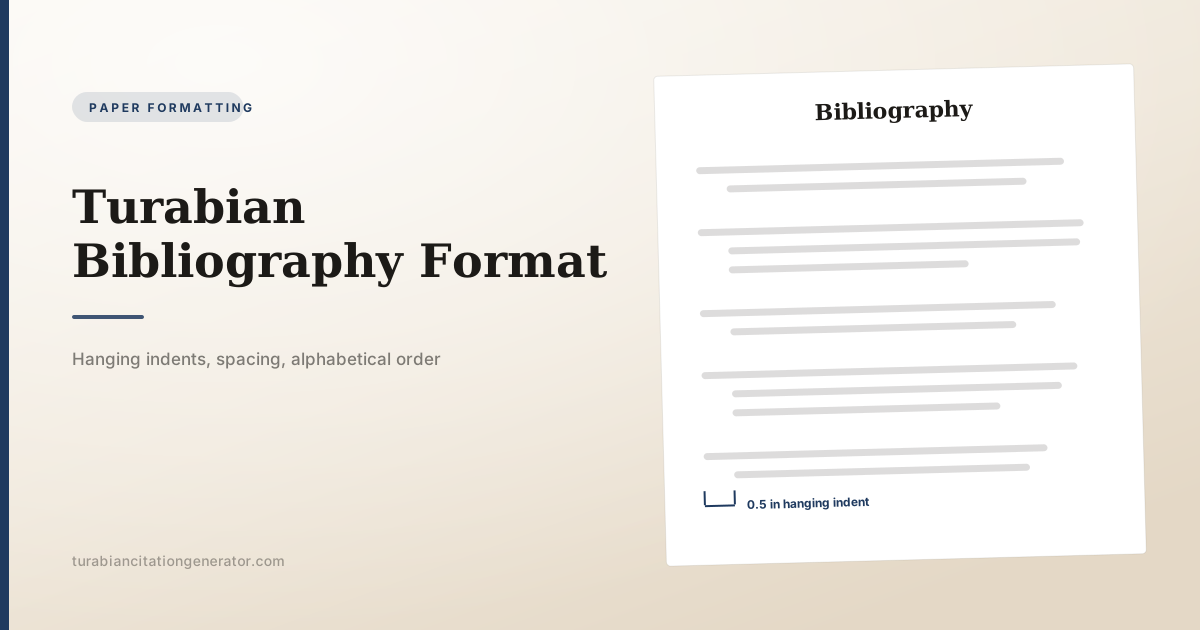
A Turabian bibliography starts on a new page at the end of the paper, carries the centered heading Bibliography, and lists sources alphabetically by the first author’s last name. Each entry is single-spaced with a hanging indent of 0.5 inch, and a blank line separates one entry from the next.
That short paragraph is the format. What follows is the detail: where the page sits, how to alphabetize awkward entries, what changes when one author wrote three of your sources, how to set the indent properly in Word and Google Docs, and how a bibliography differs from an author-date reference list.
The page at a glance
| Feature | Turabian requirement |
|---|---|
| Placement | New page, after the text and any endnotes or appendixes |
| Heading | Bibliography, centered at the top |
| Space below heading | Two blank lines before the first entry |
| Order | Alphabetical by the first element of each entry |
| Line spacing | Single-spaced within an entry |
| Between entries | One blank line |
| Indent | Hanging, 0.5 inch |
| Margins | The same 1 inch as the rest of the paper |
| Font | The same body font, usually 12 point Times New Roman |
| Page numbers | Continue the paper’s numbering; the list is not renumbered |
These requirements come from the University of Chicago Press student paper-formatting tip sheets, whose marked-up bibliography page asks for the title centred at the top of the first page with two blank lines after it, half-inch hanging indents on every entry, single-spaced entries with a blank line between them, and a ragged right margin.
The spacing rule is the one that trips people who have written APA or MLA papers before. In those styles the entire reference list is double-spaced. In Turabian the body of the paper is double-spaced, but the bibliography, the footnotes and block quotations are single-spaced, with blank lines used to separate elements.
What goes at the top
Type Bibliography at the top of a fresh page, centered. No quotation marks, no underline, no colon. Leave two blank lines between the heading and the first entry.
Some situations call for a different word:
- Bibliography for a notes-bibliography paper listing works cited.
- Selected Bibliography when you have deliberately listed only some of what you used.
- Works Cited when a department asks for that wording, though it is more common in MLA.
- References for an author-date paper, which follows different internal rules covered in our Turabian author-date guide.
Whether the heading is bold is a matter your university template usually settles. Turabian’s requirement is that it is centered and on its own page; bold is common, accepted and used in most institutional templates.
If your paper uses endnotes rather than footnotes, the Notes page comes before the bibliography. Our guide to footnotes versus endnotes covers that page in detail.
Alphabetical order, including the hard cases
Sort by the first element of the entry, which is usually the author’s surname.
Multiple authors. Alphabetize by the first author’s surname. Only the first author’s name is inverted:
Sassler, Sharon, and Amanda Jayne Miller. Cohabitation Nation: Gender, Class, and the Remaking of Relationships. Oakland: University of California Press, 2017.
Corporate authors. Alphabetize by the organization’s name, ignoring an initial “The”:
National Endowment for the Humanities. Annual Report 2025. Washington, DC: NEH, 2026.
No author. Alphabetize by title, ignoring an initial A, An or The:
The Cambridge Guide to Early Modern Trade. Cambridge: Cambridge University Press, 2024.
Surnames with particles. Follow how the person is commonly listed: De Gaulle under D, van Gogh under G in English-language practice, Van Buren under V for the American usage. When in doubt, follow the Library of Congress form or the form the author uses on the title page.
Initials and abbreviations. Alphabetize letter by letter as written. Mc and Mac are alphabetized as spelled, not as though Mc were Mac.
Editors and translators in the author slot. When an edited volume is cited as a whole, the editor takes the author position and keeps the label:
D’Agata, John, ed. The Making of the American Essay. Minneapolis: Graywolf Press, 2016.
Repeated authors: the three-em dash
When the same author is responsible for two or more entries, alphabetize those entries by title, then replace the repeated name with a three-em dash followed by a period. Three plain hyphens are a widely accepted stand-in and are what most word processors produce without a fight.
Rowlandson, Mary. A True History. Boston: Marshall, 2019.
---. Writing the Frontier. Boston: Marshall, 2022.
Three conditions govern the substitution:
- The authorship must be exactly the same. A solo work and a co-authored work by the same person do not share a dash. Write the full names out again.
- The dash cannot cross a page break in a way that hides the author. If the entries split across two pages, repeat the name at the top of the second page.
- A changed role changes the entry. If the person is author of one work and editor of another, the dash is followed by the new label, as in ”---, ed.”
The hanging indent
The first line of each entry sits flush with the left margin, and every line after it is indented 0.5 inch. This is the reverse of a paragraph indent, and it exists so the eye can run down the left edge and scan surnames.
Do not create it with Tab or spaces. A manual indent breaks the moment you change a word, a font or a margin, and it will not survive a page reflow.
Word
- Select all the entries.
- Open the Paragraph dialog (Home tab, small arrow in the corner of the Paragraph group).
- Under Indentation, set Special to Hanging and By to 0.5”.
- Under Spacing, set line spacing to Single.
- Set Space After to 0 pt and add the blank lines between entries yourself, or set Space After to one line’s worth if you prefer the software to handle it. Do not do both, or your entries will be separated by two blank lines.
- Click OK.
To sort the list, select the entries and use Home, then the A-Z sort button, sorting by Paragraphs and Text ascending. Check the result by hand afterwards; the sort does not know about initial articles or particles.
Google Docs
- Turn on the ruler: View, then Show ruler.
- Select the entries.
- Drag the lower rectangular marker right to the 0.5 inch mark. Both markers move together.
- Drag the upper triangular marker back left to the margin.
- Set line spacing to Single, and use Format, Line and paragraph spacing, Add space after paragraph, or insert blank lines manually.
Alternatively, in Docs use Format, Align and indent, Indentation options, and set Special indent to Hanging at 0.5.
A complete sample bibliography
The entries below show the spacing, ordering and indentation working together. Note the alphabetical sequence, the single-spaced entries, the blank lines between them and the hanging indent on entries that run past one line.
Note punctuation versus bibliography punctuation
The same source produces two differently punctuated citations, and swapping the two is the most common formatting error on the page.
| Feature | Footnote | Bibliography entry |
|---|---|---|
| Author name | First name first | Surname first |
| Separators | Commas | Periods |
| Publication facts | In parentheses | Not in parentheses |
| Page numbers | The pages you used | Full range, for parts of works |
| First line | Indented like a paragraph | Flush left, with a hanging indent |
| Numbered | Yes | No |
Footnote:
- Katie Kitamura, A Separation (New York: Riverhead Books, 2017), 25.
Bibliography entry:
Kitamura, Katie. A Separation. New York: Riverhead Books, 2017.
For the rules behind the note side of that pair, see our complete guide to Turabian footnotes.
What belongs on the page, and what does not
Include every source you cited in a note, plus any work that shaped the paper substantially enough that your instructor asked for it.
Leave out scripture and other classic sacred texts, which are cited in notes only. Our guide to citing the Bible explains why.
Leave out personal communications: emails, text messages, private interviews and unshared AI conversations. They cannot be retrieved by a reader, so they stay in notes.
Leave out whole websites cited only in passing, and standard reference works such as well-known dictionaries and encyclopedias, unless your argument turns on a specific entry.
Ask first about a source your reader cannot access, such as an unpublished manuscript in a private collection. Some departments want it listed with a location note.
Bibliography or reference list?
They are not interchangeable, and using one system’s punctuation in the other’s list is a visible error.
| Bibliography | Reference list | |
|---|---|---|
| Used with | Notes-bibliography | Author-date |
| Heading | Bibliography | References |
| Year position | After the publisher | Right after the author |
| Matches | Numbered notes | Parenthetical citations |
Bibliography:
Kitamura, Katie. A Separation. New York: Riverhead Books, 2017.
Reference list:
Kitamura, Katie. 2017. A Separation. New York: Riverhead Books.
Both use the same alphabetical ordering, the same single spacing and the same hanging indent. Only the position of the year and the punctuation around it change. If your paper needs annotations under each entry, that is a third variant, covered in our annotated bibliography guide.
Dividing a long bibliography
A bibliography of two hundred entries is hard to use as a single alphabetical run, and Turabian allows division into sections when the division genuinely helps a reader. Two schemes are conventional.
By source type, which suits research using distinct bodies of material:
Primary Sources
Manuscript Collections
Printed Primary Sources
Secondary Sources
By archive or repository, which suits archival research where a reader may want to know what is held where.
Three rules govern either scheme. Each section carries its own subheading, formatted consistently. Entries are alphabetized within each section, not across the whole list. And every entry appears once, in the section where a reader would look for it first.
Do not divide a short bibliography. Under about thirty entries, sections add navigation to a list that did not need any, and they can make a reader hunt through four headings to find a single book. If your division would leave a section with two entries in it, the division is not earning its place.
Checking the page before you submit
Six checks, in the order that catches the most errors fastest.
- Read the surnames down the left edge. Alphabetical order breaks are visible in seconds this way, and this is the check most likely to find a real error.
- Confirm the heading is centered on its own page. A bibliography that starts halfway down the last page of text is the most common structural error.
- Click into three entries and check the indent. If the Paragraph dialog says Hanging 0.5”, the style is applied. If it says First line or None, someone used Tab.
- Check the spacing. Single within entries, one blank line between. Not double throughout.
- Match the list against your notes. Every source you cited should appear, and nothing should appear that you did not cite, unless you were asked for a works consulted list.
- Check the punctuation of one entry of each type. Periods between elements, not commas, and no parentheses around the publication facts.
That last check catches the error that comes from drafting notes first and converting them: a bibliography entry that still reads like a footnote.
Common mistakes
Double-spacing the whole list. That is APA and MLA. Turabian entries are single-spaced with a blank line between them.
Using Tab for the indent. It looks right until something reflows.
Numbering the entries. A bibliography is alphabetical, not numbered. Numbers belong to notes.
Leaving the heading in the body font size and left-aligned. Center it.
Alphabetizing by first name. Sort by the surname, which is why the first author’s name is inverted.
Inverting every author’s name. Only the first author is inverted; the rest read first name first.
Starting the bibliography halfway down the last text page. It gets its own page.
Letting a repeated author’s dash cross a page break. Repeat the name at the top of the new page.
Frequently asked questions
Is a Turabian bibliography single-spaced or double-spaced? Entries are single-spaced internally with one blank line between them. The body of the paper stays double-spaced.
How do I make a hanging indent? Use the Paragraph dialog in Word (Special, Hanging, 0.5”) or the ruler markers in Google Docs. Do not use Tab or the spacebar.
What do I do with two books by the same author? Alphabetize by title, then replace the repeated name with a three-em dash and a period in every entry after the first. Only when the authorship is identical.
Is the bibliography heading bold? It must be centered on its own page and not in quotation marks. Bold is widely used and accepted, and many university templates require it.
Do I include sources I read but never cited? Only if your instructor asks. A standard Turabian bibliography lists the works you cited; a broader list should be labelled as a works consulted or selected bibliography.
Setting it up once
Build the hanging indent and the single spacing into a paragraph style before you paste in your first entry, and the page formats itself for the rest of the project. Then check three things at the end: the heading is centered on its own page, the surnames run in alphabetical order down the left edge, and no entry has been indented with the Tab key.
To generate the entries themselves in the right punctuation, enter the author, title, publisher and date into the Turabian Citation Generator and copy the bibliography line straight into the page.