How to Cite a YouTube Video in Turabian
Cite a YouTube video in Turabian with the uploader, video title, upload date, duration and URL. Footnote, shortened note and bibliography examples.
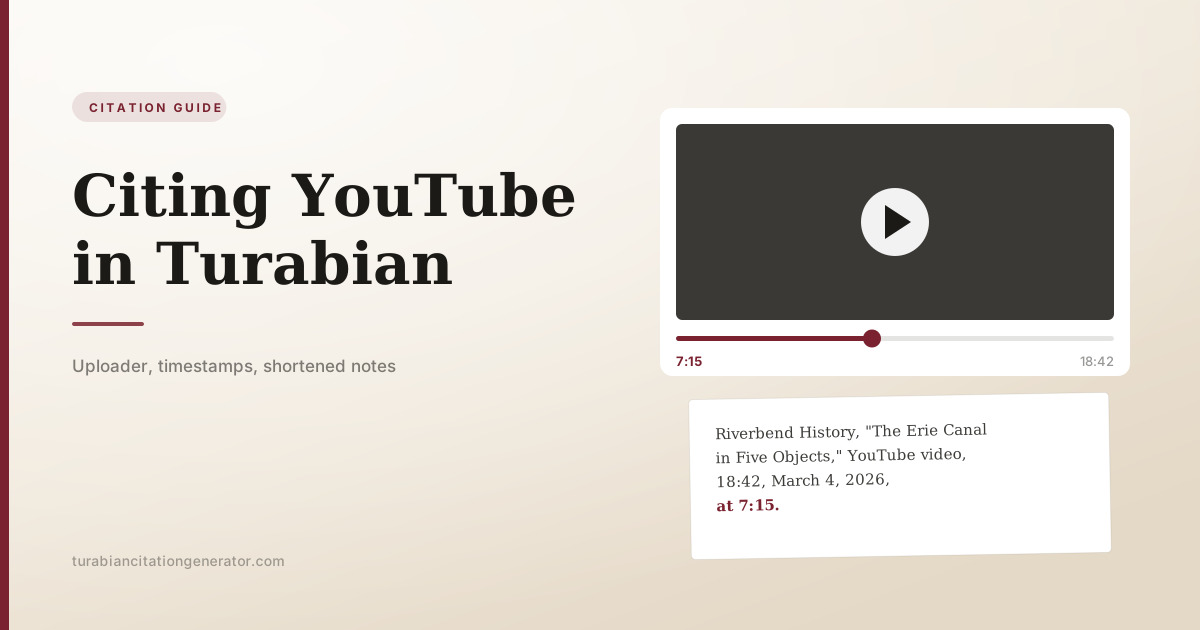
Cite a YouTube video in Turabian with the uploader or creator, the video title in quotation marks, the platform, the upload date, the running time and the URL. The pattern follows Turabian’s treatment of audiovisual content, where a timestamp does the job a page number does for a book.
First footnote:
- Riverbend History, “The Erie Canal in Five Objects,” YouTube video, 18:42, March 4, 2026, https://www.youtube.com/watch?v=example.
Footnote pointing at a specific moment:
- Riverbend History, “The Erie Canal in Five Objects,” YouTube video, 18:42, March 4, 2026, at 7:15, https://www.youtube.com/watch?v=example.
Shortened note:
- Riverbend History, “Erie Canal,” at 12:03.
Bibliography entry:
Riverbend History. “The Erie Canal in Five Objects.” YouTube video, 18:42. March 4, 2026. https://www.youtube.com/watch?v=example.
Examples on this page use illustrative source details unless a real work is named.
Below: which name to use when the channel and the person differ, where the timestamp goes, how the author-date system handles the same video, and what to do with Shorts, livestreams, playlists and videos that were published somewhere else first.
What to collect from the video page
Everything you need is on the watch page. Copy it before you close the tab.
| Element | Where to find it | Example |
|---|---|---|
| Uploader or creator | Channel name under the player | Riverbend History |
| Video title | The heading above the channel name | ”The Erie Canal in Five Objects” |
| Platform | Always YouTube for this guide | YouTube video |
| Running time | The right-hand number on the progress bar | 18:42 |
| Upload date | Under the title, sometimes behind “more” | March 4, 2026 |
| Timestamp | The player clock at the moment you are citing | 7:15 |
| URL | The address bar, or the Share button | https://www.youtube.com/watch?v=example |
Two practical notes. The Share button gives a short youtu.be link, which is perfectly acceptable and easier to read in a note than a full watch URL with tracking parameters. And if you use a link copied at a timestamp, strip the trailing time parameter and put the timestamp in the citation instead, where a reader can see it.
The uploader problem: channel name or real name?
This is the question that stalls most YouTube citations, and Turabian’s answer is the general one: identify the source the way the source identifies itself, and give your reader enough to find it again.
The channel is a person’s real name. Use it, inverted in the bibliography like any author.
- Anna Reyes, “Reading Domesday Book,” YouTube video, 22:10, January 12, 2026, https://youtu.be/example.
Reyes, Anna. “Reading Domesday Book.” YouTube video, 22:10. January 12, 2026. https://youtu.be/example.
The channel is an organization or a brand. Use the channel name as a corporate author, with no inversion.
- British Library, “Conserving a Medieval Manuscript,” YouTube video, 9:04, February 2, 2026, https://youtu.be/example.
The channel name is a handle but the real name is known and relevant. Give both, with the handle in parentheses, the same way social media accounts are handled.
- Marcus Bell (@sourcesandmethods), “How Archives Are Catalogued,” YouTube video, 15:33, April 18, 2026, https://youtu.be/example.
The creator and the uploader are different people. This happens with interviews, conference recordings and reposted lectures. Lead with whoever is responsible for the content, and identify the other role explicitly:
- Helen Osei, “Rethinking the Industrial Revolution,” lecture, posted by Northgate University, YouTube video, 51:20, October 9, 2025, https://youtu.be/example.
If you genuinely cannot tell who made a video, lead with the channel that posted it. Do not invent an author.
Timestamps: the page numbers of video
A note that cites a whole eighteen-minute video sends your reader to look for a needle. A timestamp sends them to the sentence.
Give the timestamp in the position a page number would take, at the end of the citation elements and before the URL, or after the URL if that reads more cleanly in your paper. Both are used; stay consistent.
- Riverbend History, “The Erie Canal in Five Objects,” YouTube video, 18:42, March 4, 2026, at 7:15, https://www.youtube.com/watch?v=example.
A range works the same way as a page range:
- Riverbend History, “Erie Canal,” at 7:15-8:40.
In the bibliography, give the total running time rather than a timestamp. The bibliography describes the whole source; the note points at the part you used. This mirrors the way a bibliography entry for a journal article gives the full page range while the note gives the page you quoted.
| Where | What to give |
|---|---|
| First note | Total running time and, if you are citing a moment, the timestamp |
| Shortened note | Timestamp only |
| Bibliography | Total running time |
| Author-date in-text | Timestamp |
| Reference list | Total running time |
Author-date examples
In-text citation:
(Riverbend History 2026, 7:15)
Reference list entry:
Riverbend History. 2026. “The Erie Canal in Five Objects.” YouTube video, 18:42. March 4, 2026. https://www.youtube.com/watch?v=example.
The year moves forward after the uploader, the full date stays with the publication details, and the timestamp takes the place of a page number in the parenthetical. Our Turabian author-date guide covers what happens when several videos share an uploader and a year.
Variations you will actually meet
YouTube Shorts. A Short is a video. Same elements, same order, shorter running time. There is no separate template and no need to label it as a Short unless the format matters to your point.
Livestream archives. Cite the archived recording, with its running time and the date it was streamed. If the archive date differs from the broadcast date, say so in your text rather than stacking two dates into the note.
A video that was published elsewhere first. A news segment, a documentary clip or a conference recording posted to YouTube keeps its original identity. Cite the original work and add YouTube as the place you accessed it:
- “The Cotton Famine,” episode 3 of Lancashire Lives, aired November 2, 2024, on Meridian Television, YouTube video, 47:12, https://youtu.be/example.
Music videos. Turabian’s own audiovisual example follows this shape, naming the director:
- Beyoncé, “Sorry,” directed by Kahlil Joseph and Beyoncé Knowles, June 22, 2016, music video, 4:25, https://youtu.be/QxsmWxxouIM.
Playlists. Cite the individual video you used. A playlist is a container, and citing it tells your reader almost nothing about what you watched.
Comments. A comment is cited in reference to the video, not on its own, and it stays out of the bibliography:
- Dana Whitfield, March 5, 2026, comment on Riverbend History, “Erie Canal.”
Unlisted or private videos. If your reader cannot open it, it is closer to a personal communication than to a published source. Cite it in a note, explain how you had access, and leave it out of the bibliography. Course videos behind a login fall here too; see our guide to citing a PowerPoint, lecture or class notes.
Checking the details before you cite
Video metadata is easier to get wrong than book metadata, because the page shows several dates and several names and does not label which is which.
The upload date is not always the date shown first. YouTube displays a relative date (“2 years ago”) until you expand the description, where the full date appears. Take it from there rather than calculating backwards.
A re-uploaded video carries a new date. If a channel deletes and reposts a video, the visible date is the repost. When the original date matters to your argument, say so in your text and explain how you established it.
Channel names change; channel identifiers do not. If a creator renames the channel between your reading and your reader’s, the name in your citation will not match. The URL still resolves, which is one more reason to include it.
Auto-dubbed and auto-translated titles. YouTube now shows some titles translated into the viewer’s language. Cite the title in the language the video was published in, which you can usually confirm by switching your interface language or checking the video’s own description.
Verify the creator against the channel page. Descriptions are written by uploaders and are not always accurate about who produced the content, particularly for reposted material.
Five minutes of checking here saves a correction later, and the details are exactly the ones a marker who knows the subject will notice.
When the video is your primary source
Most student citations treat a video as evidence for a claim. Some treat the video itself as the object of study, and that changes what you record.
If you are analysing how something was presented rather than what was said, note the elements that carry the presentation: the running time, the visible production credits, the thumbnail and title as published, the view count and date you observed it, and any content warnings or platform labels attached to it. Those details are not part of the citation template, and they belong in your text or in a note alongside it.
Because platform-controlled elements change without notice, record them with a dated screenshot. A view count or a title is evidence when you are writing about circulation and reception, and it is the kind of evidence that disappears.
Deleted videos and changed titles
Online video is less stable than print. Two habits protect you.
Record the upload date and the running time as you watch. If the video disappears, those details plus the channel name are usually enough for a reader to identify what you cited.
Save a copy of your evidence. A screenshot of the frame you discuss, or a transcript of the passage you quote, costs nothing and preserves the substance of your citation if the URL dies before your paper is marked.
Turabian does not require an access date for a video that carries a publication date, and adding one is not standard practice. If the video has no visible upload date at all, an access date is a reasonable substitute, exactly as it is for undated website content.
Judging whether a video is citable
Anyone can upload anything, so the question of whether a video belongs in your paper comes before the question of how to format it.
Who made it, and what do they know? A recorded university lecture, a museum’s conservation film and a national archive’s explainer carry institutional accountability. An anonymous channel summarizing a topic does not, however confident the narration sounds.
Is it a source or a route to one? Most explanatory videos are secondary, and they are drawing on published work. If a video makes a claim you want to use, look for the underlying source, which is often listed in the description. Citing the video for a fact that has a published origin is the same shortcut as citing a lecture for it.
Is the video itself the evidence? Frequently it is, and then it is a strong source. A film of a craft process, a recorded interview, a political broadcast, a piece of footage you are analysing: these are primary material and citing them is exactly right.
Has it been edited or clipped? A clip circulating out of context is not the same source as the recording it came from. Where you can, cite the full original and give the timestamp, rather than citing a repost that begins mid-sentence.
Would you cite the equivalent in print? A useful calibration. If the same content in a blog post would not have made it into your bibliography, the video version does not qualify because it took longer to watch.
None of this is about video being a lesser source. It is about the same judgment you apply to anything else, applied to a format where the production values give no reliable signal about the reliability of the content.
Common mistakes
Italicizing the video title. A single video is a part, not a whole, so it takes quotation marks. Italics are for the series or the programme it belongs to.
Using “YouTube” as the author. YouTube is the platform, not the creator. The channel is the author.
Leaving out the date. Two videos with the same title on the same channel are distinguished by their dates.
Citing a whole two-hour lecture for one sentence. Add the timestamp.
Keeping tracking parameters in the URL. Trim everything after the video identifier.
Copying the auto-generated transcript as if it were a quotation. Automatic captions misheard words. Listen to the passage before you quote it.
Frequently asked questions
Do I use the channel name or the person’s real name? Whichever identifies the creator best, and both when they differ and both are known. Follow the source: if the channel runs under a real name, use it; if the content is published under a channel identity, use that and add the real name in parentheses where it matters.
Do I need the video’s duration? Include the total running time when it is easy to read off the player. If you are pointing at one moment, a timestamp is more useful, and you can give both.
How do I cite a specific moment in a YouTube video? Put the timestamp where a page number would go in a note, written as minutes and seconds, such as 14:22.
Does a YouTube video go in the bibliography? Yes. A public video has a stable URL and a publication date, so it is recoverable and gets an entry, alphabetized by the uploader’s name.
How do I cite a YouTube Short or a livestream replay? Exactly like any other video on the platform. Note in your text if the recording is an archived live broadcast, since the stream date and the archive can differ.
One more source type, same logic
A video citation answers four questions: who made it, what is it called, when did it appear, and where can I watch it. Add a timestamp so the reader lands where you did.
The same reasoning covers other platforms. Posts on X, Instagram, Facebook and Reddit are handled in our guide to citing social media in Turabian, and audio-first sources are in the podcast citation guide. When you have the uploader, title, date and URL in hand, the Turabian Citation Generator will assemble the note and the bibliography entry for you.